
After you fix issues on the client’s site, crawl it again and compare the two crawls to show what changed.
Steps
-
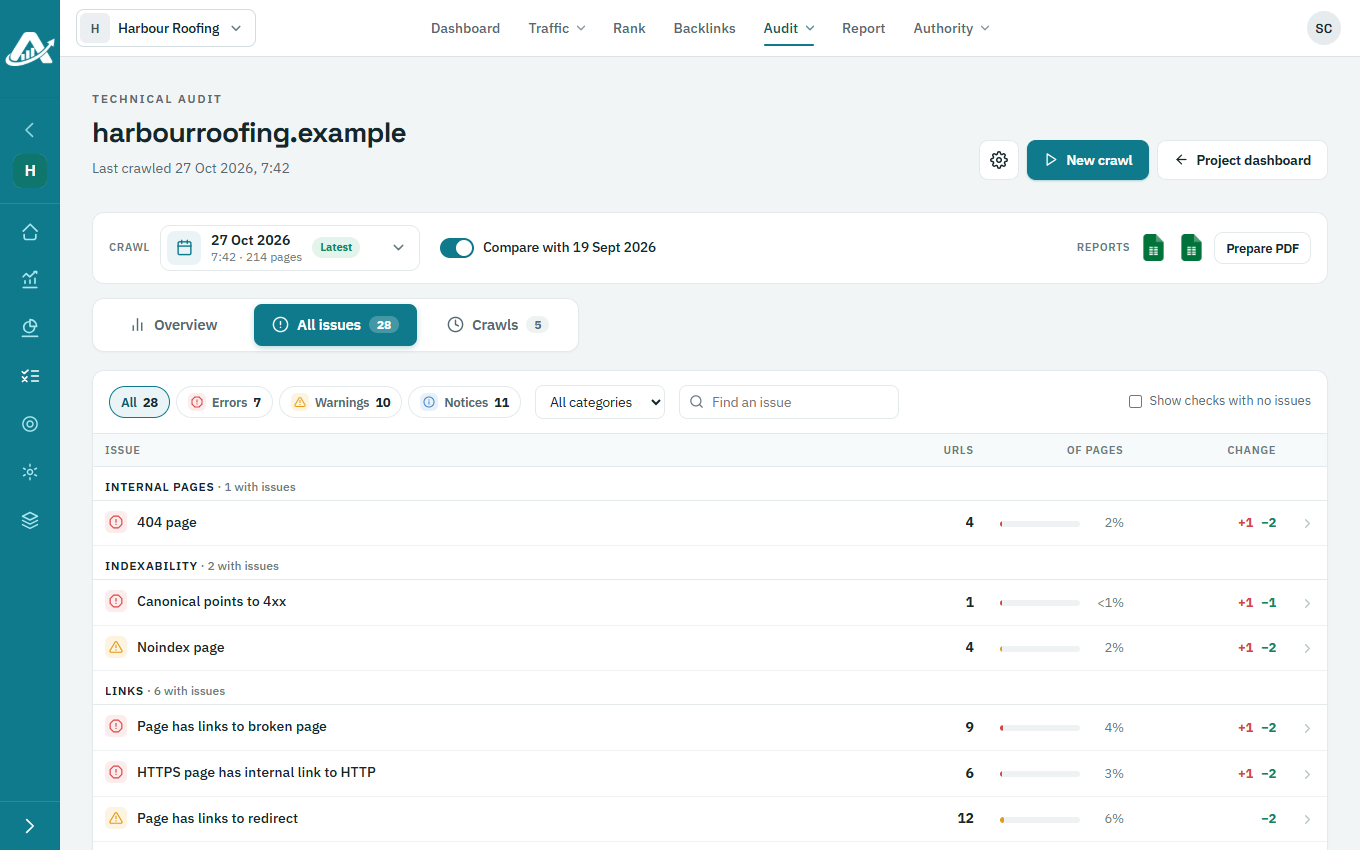
Open the client’s project and go to Audit › Technical audit. You need at least two finished crawls.
-
Turn on Compare with the crawl before. Issues are now marked as new or fixed since that crawl.
-
To keep a copy, download the comparison as an Excel file from Reports at the top of the page.