
WordPress publishing
Edit, publish and schedule WordPress content safely
Bring a client’s WordPress posts and pages into the Content Library, stage your edits, check the diff, and publish or schedule them when they are right.
No card needed for the trial.
At a glance
Staged first
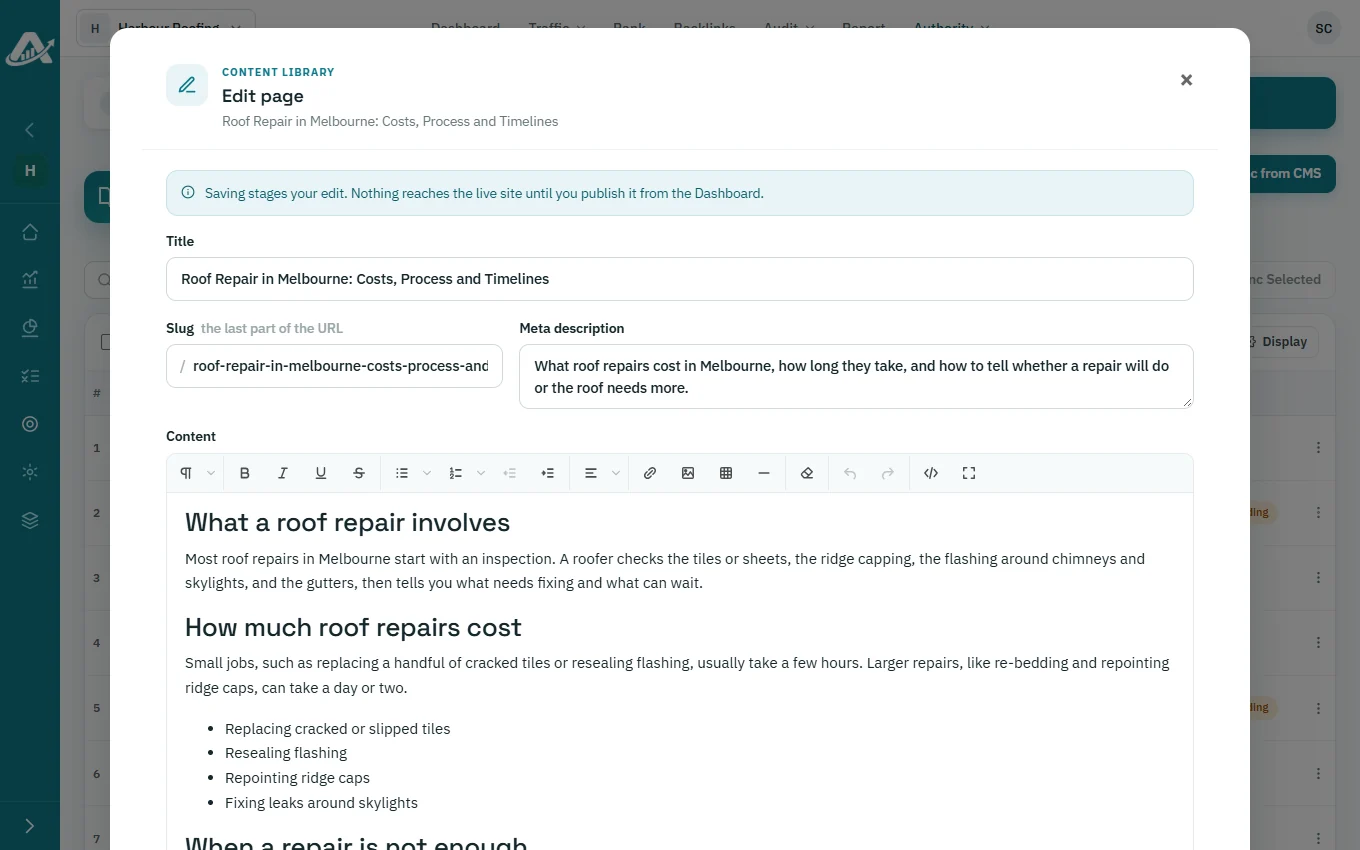
Edits to title, slug, meta description and content wait as staged changes until you publish.
In bulk
Publish, update, schedule, unpublish or archive many posts at once.
Spread over time
Schedule posts for one time or spread them over a date range, skipping weekends if you like.
What you can do
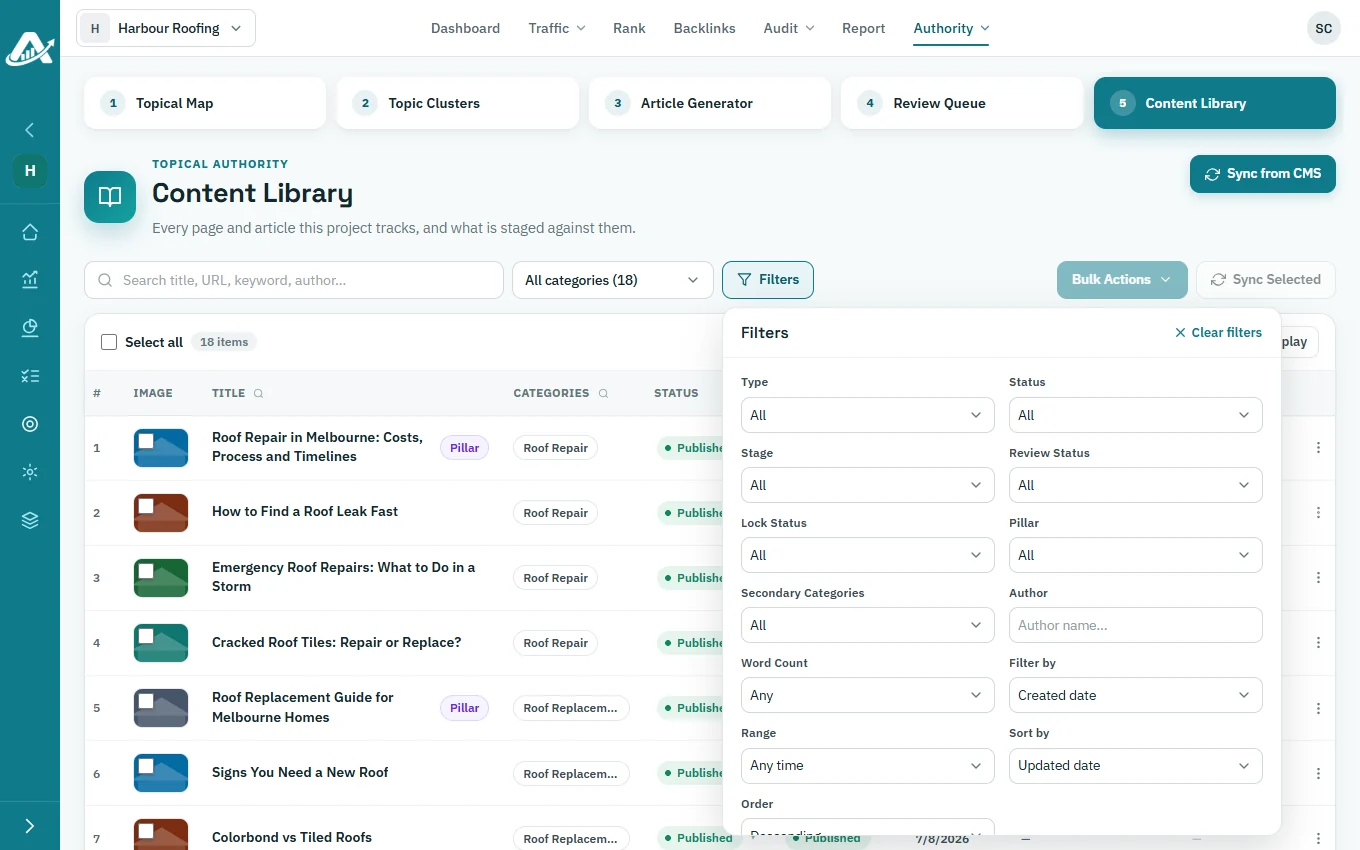
Sync from WordPress
Fetch posts and pages from the live site, and refresh selected rows.
Find any article
Filter the Content Library by status, stage, type, review status, word count, dates, author and category.
Edit and review the diff
Stage edits, compare them with the live version, then publish, discard or retry.
Bulk content tools
Generate feature images, optimize images, set category or author, manage schema, and repair internal or external links on the selected articles.
Schedule posts
Set publish dates for selected articles in your chosen timezone.
See it in the product
Stage and publish WordPress changes
Stage and publish WordPress changes
Sync the client’s posts, stage edits, and publish or schedule many posts at once.
Read the steps
- Pull the client's WordPress posts and pages in.
- Filter every article by status, stage and length.
- Edit here; nothing changes on the live site yet.
- Publish, update or unpublish many posts at once.
- Spread publishing over a date range, skipping weekends.
WordPress is the only CMS AgencyInsightLab publishes to today. AI-based bulk actions use credits.
Related
WordPress integration
How the connection works.
Internal linking
Add links before you publish.
AI article writer
Write the articles you publish.
Questions about WordPress publishing
Can I undo an edit before it goes live?
Yes. Discard the staged change and the live post stays as it was.
What if publishing fails?
The change stays staged, and you can retry publishing it.
Can I sync pages as well as posts?
Yes. Choose posts, pages or both when you sync from the CMS.
Does the WordPress site need any changes?
Only the connection: approve AgencyInsightLab in WordPress, or create an application password.
Try it with one client first
Add a client’s website, run a technical audit and plan their topics. The trial includes every feature.
No card needed for the trial.