
A page that isn’t in Google’s index can’t show up in search. The indexing check asks Google about the client’s pages and tells you why any are missing.
Steps
-
Open the client’s project, go to Audit › Search Console audit and open the Indexing tab.
-
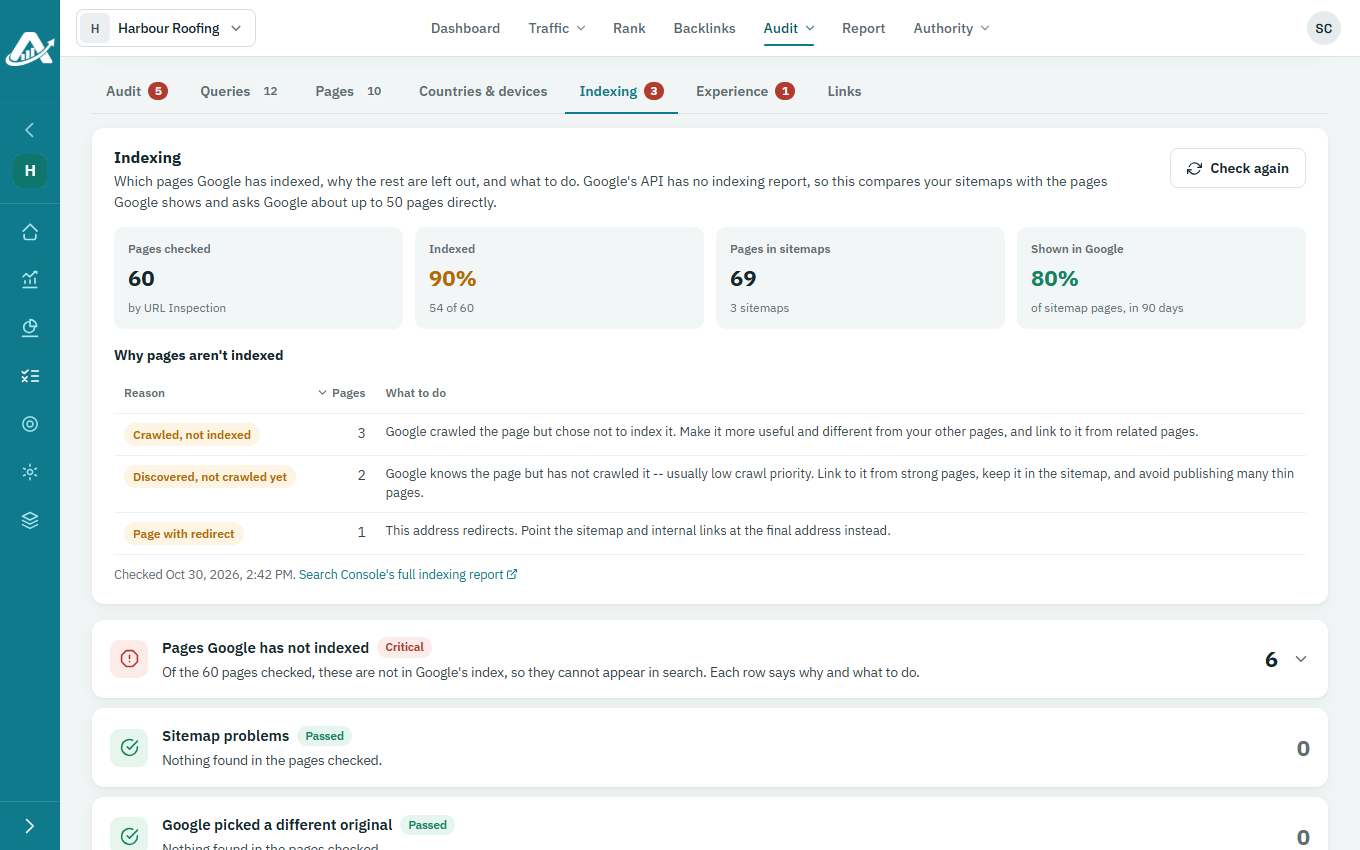
The check starts when you open the audit. It compares the pages in the site’s sitemaps with the pages Google shows, and asks Google about each one. To run it again, click Check again.
-
Read Why pages aren’t indexed for the reasons Google gives, and Sitemaps for the sitemaps Google has for the site.
-
Further down, every page checked is listed with Google’s answer and what to do about it.