
Check the links in your articles and fix the broken ones. For each broken link we suggest a working page, or you can remove the link.
Steps
-
Open the client’s project, go to Authority › Content Library, tick the articles and click Bulk Actions.
-
Choose Repair Internal Links for links to the client’s own site, or Repair External Links for links to other sites.
-
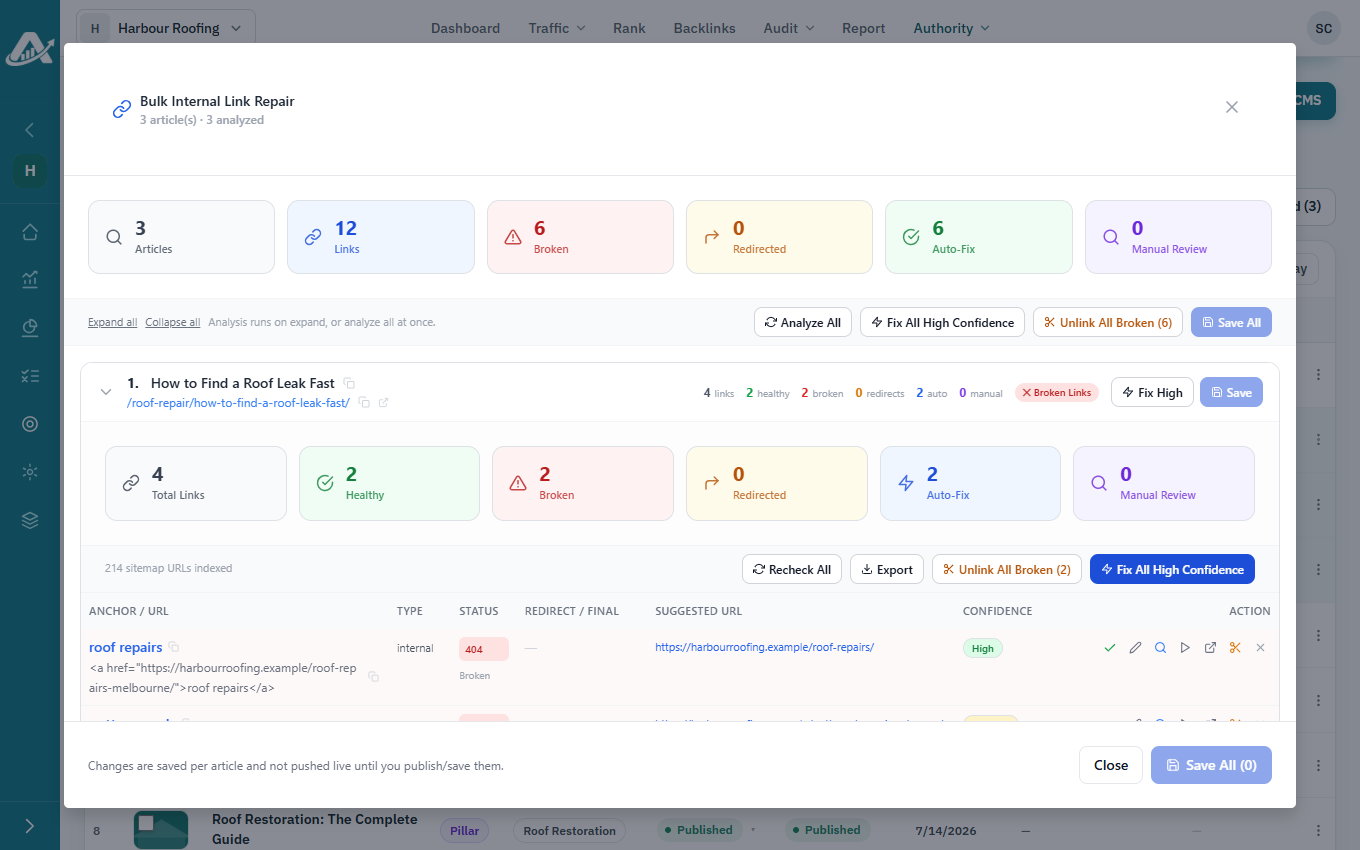
Click Analyze All.
-
Accept or edit the suggested fixes. Fix All High Confidence accepts the safest ones in one go, and Unlink All Broken removes the broken links instead.
-
Click Save All, then Save. The fixes reach the live site when you publish the articles.