
You can publish, update or take down many posts on the client’s WordPress site at once.
Steps
-
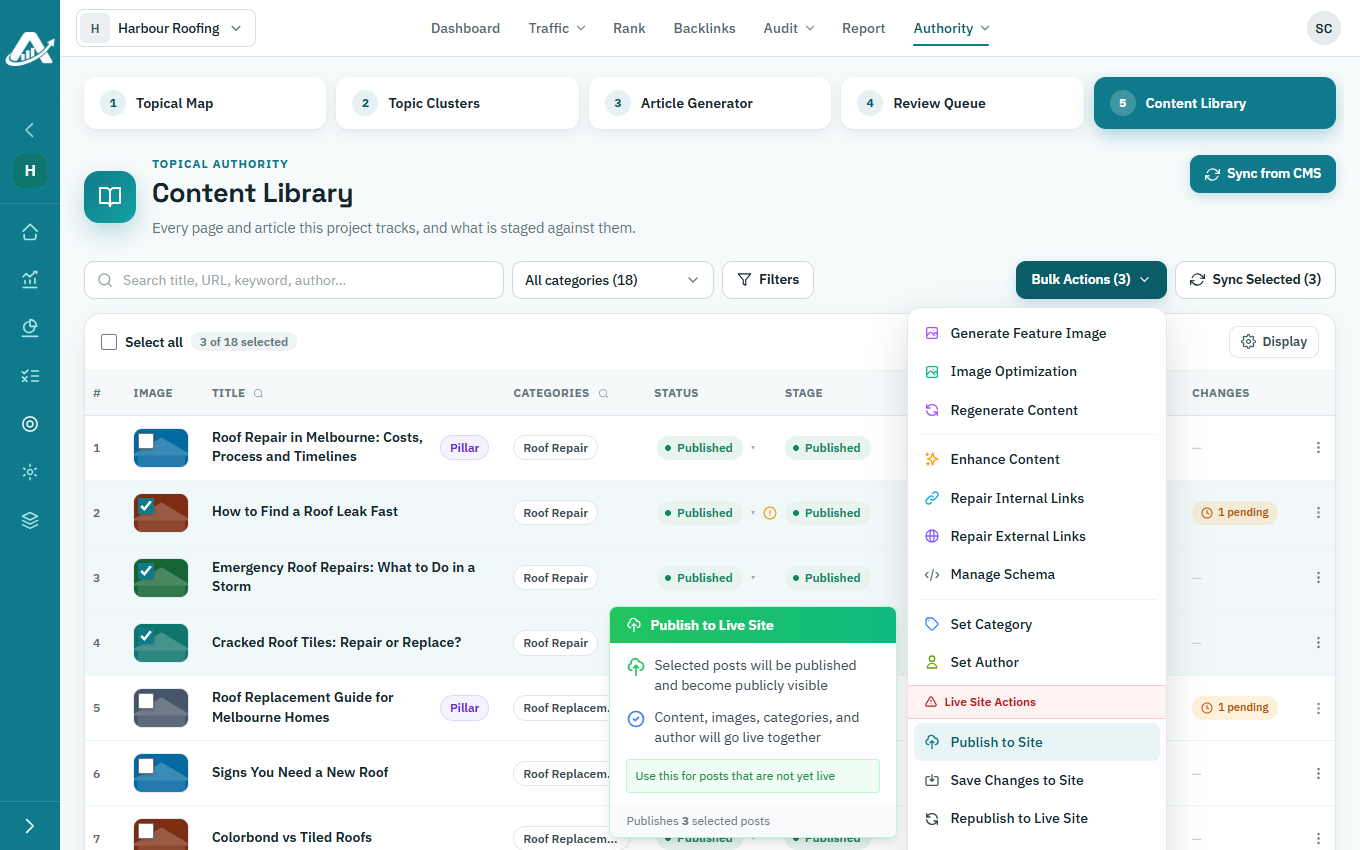
Open the client’s project, go to Authority › Content Library and tick the posts.
-
Click Bulk Actions and choose an action. Most start as soon as you click them:
- Publish to Site publishes posts that aren’t live yet.
- Save Changes to Site sends your edits to posts that are already live.
- Republish to Live Site sends the whole post again, for example if the live copy no longer matches.
- Unpublish from Site takes posts off the site. You can publish them again later.
- Archive on Site moves posts to the site’s trash.
- Stop Tracking Posts removes posts from this list, but leaves them on the site.
- Delete removes posts from this list. It asks first, and can delete them on the site too.
Troubleshooting
- If a post fails to publish, its Changes column shows Failed. Click it to see why, then click Retry publish.