
Each topic becomes a category on the client’s WordPress site, and its articles are filed under it. Create the categories before you publish. The client’s WordPress site needs to be connected first.
Steps
-
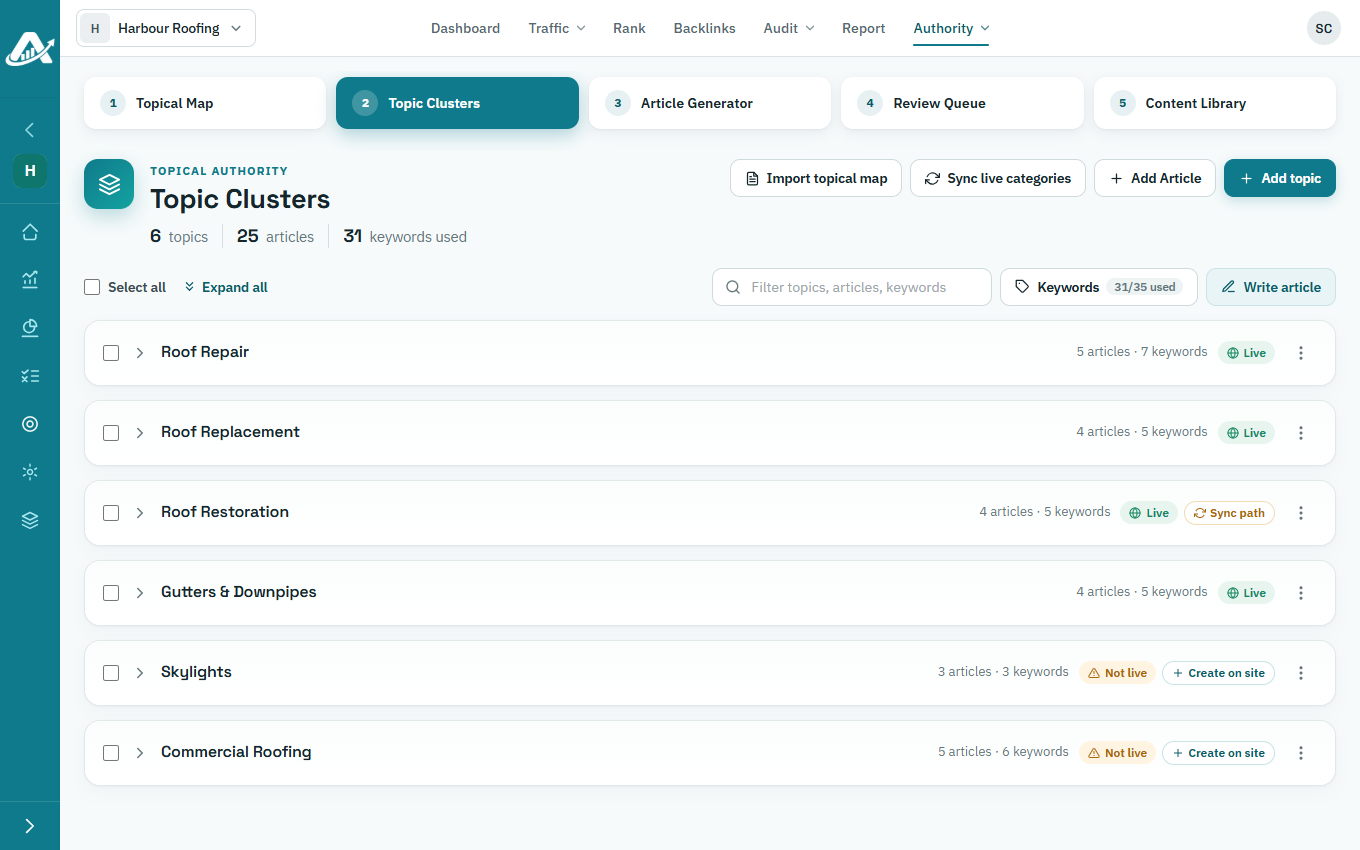
Open the client’s project, go to Authority › Topic Clusters and click Sync live categories.
-
Next to each topic marked Not live, click Create on site, then confirm.
-
If a topic shows Sync path, click it, so its articles’ URLs match the category on the site.