
You can log in with your email address and password, or with your Google account.
Steps
-
To log in, enter your email address or username and your password, then click Login. If you signed up with Google, click the Google button instead.
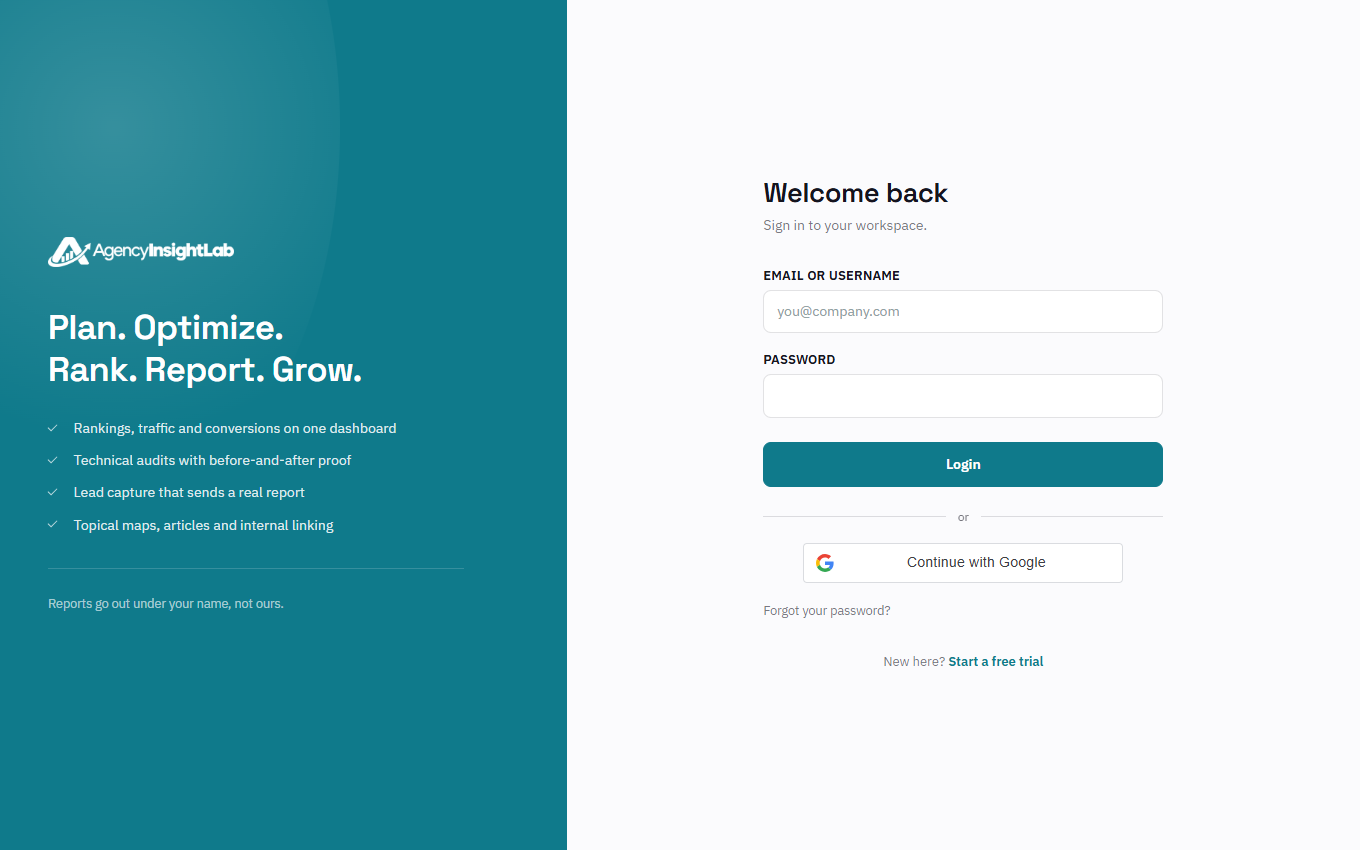
-
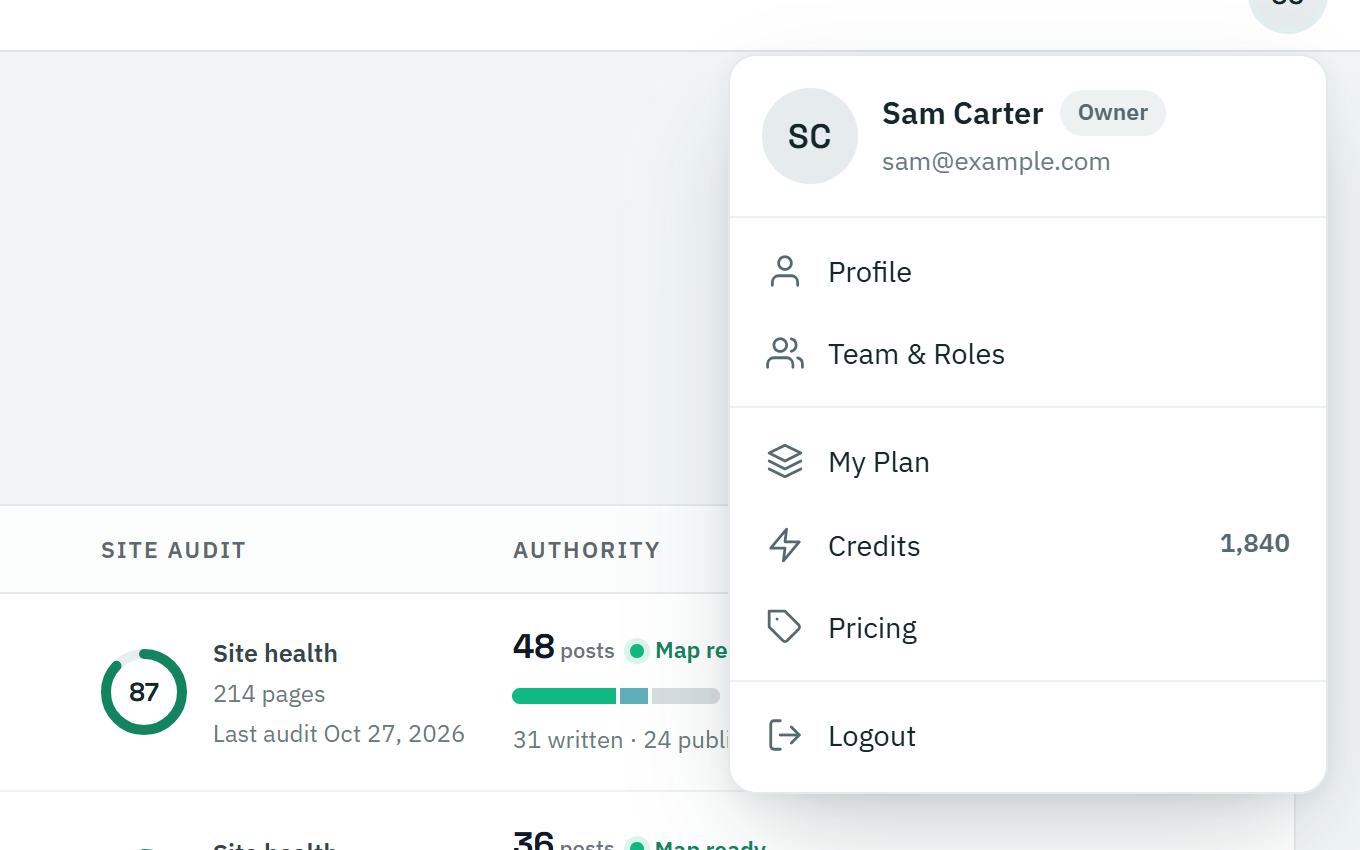
To log out, click your picture or initials in the top-right corner, then Logout.
Troubleshooting
- If you’ve forgotten your password, click Forgot your password? on the login page. See How to reset a forgotten AgencyInsightLab password.
- If you’ve only just signed up, make sure you’ve clicked the link in the confirmation email first.