
Integration
WordPress integration
Connect each client’s WordPress site once. AgencyInsightLab can then sync its posts and pages, stage your edits, and publish or schedule them when you say so.
No card needed for the trial.
What the connection is for
Everything you do to a client’s content
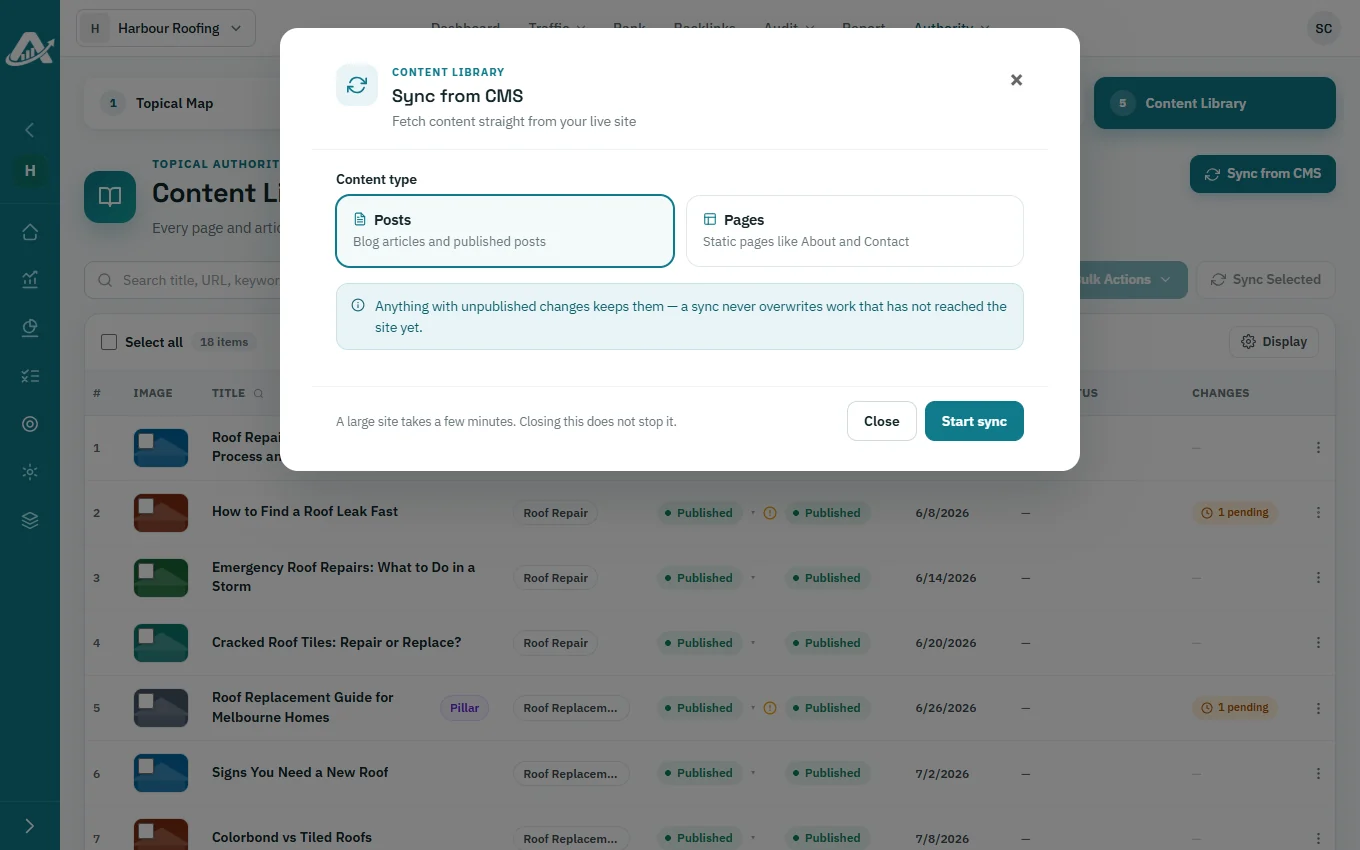
Sync posts and pages
Bring the site’s posts and pages into the Content Library, and refresh selected rows.
Publish and schedule
Publish staged edits, publish or unpublish in bulk, and spread posts over a date range.
Create categories
Create WordPress categories from your topics, and set category or author on many posts.
Repair and enrich
Repair links, manage schema, and add feature images on selected articles.
How to connect
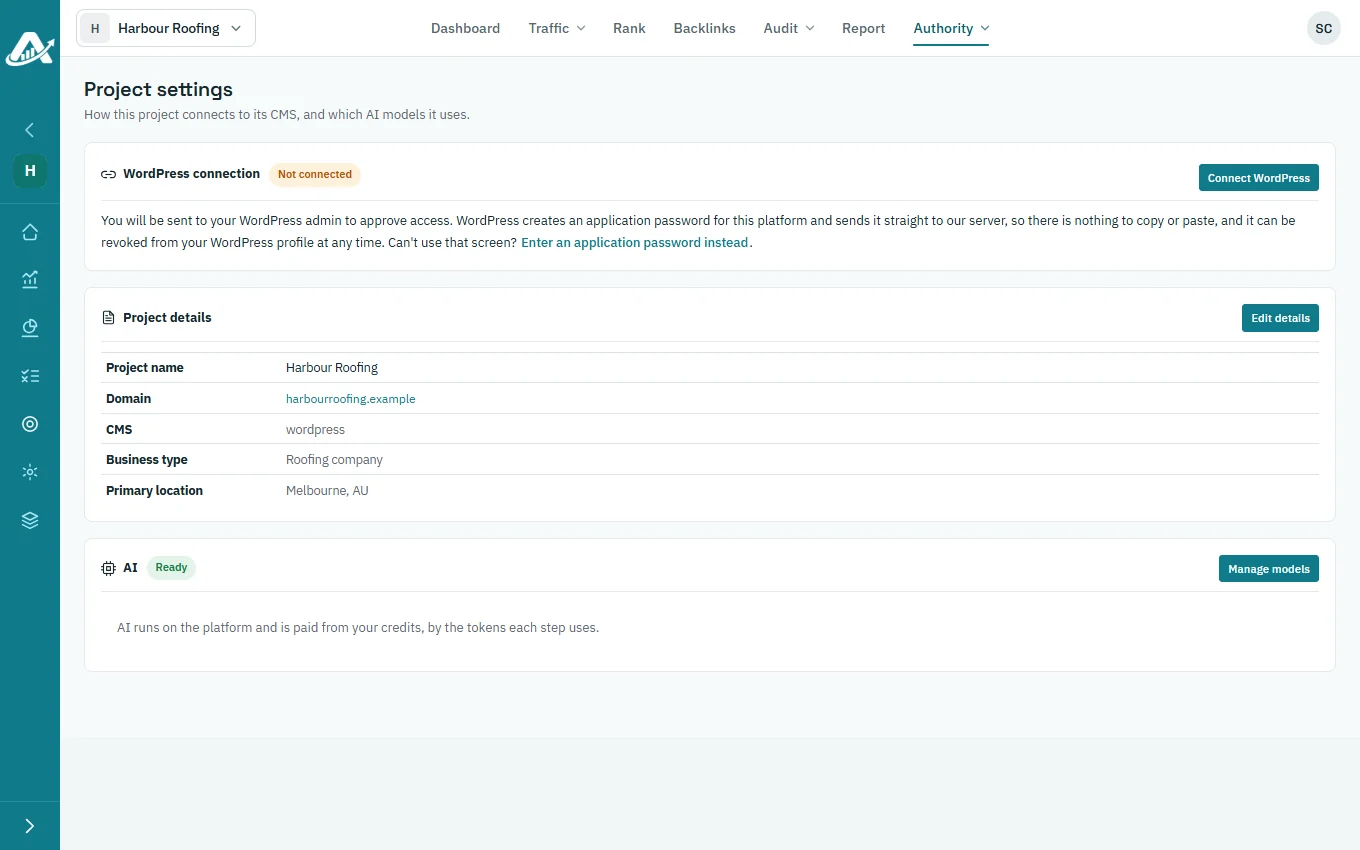
Open the project’s Content settings and choose Connect WordPress. Approve the connection in WordPress, or enter a WordPress username and an application password instead. Then test the connection.
Nothing is published until you publish it from the Content Library. A declined connection changes nothing on the site.
Questions about the WordPress integration
Which WordPress sites can I connect?
Sites where you can log in to WordPress as a user who can approve applications or create application passwords.
How many sites can I connect?
CMS connections are counted per client; the pricing page shows the current allowance.
Can I disconnect a site later?
Yes. Content settings lets you test, disconnect or reconnect the site at any time.
Do you support other CMS platforms?
Not today. WordPress is the only CMS AgencyInsightLab connects to.
Try it with one client first
Add a client’s website, run a technical audit and plan their topics. The trial includes every feature.
No card needed for the trial.